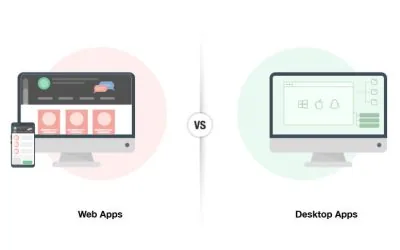
Every new software project eventually arrives at the same question: web application or desktop application? It sounds like a technical decision, but it's really a business decision. The right answer depends on your users, your use case, your performance requirements, and your plans for the future.
There's no universally correct answer. Both platforms have genuine strengths and genuine weaknesses. The goal of this article is to give you the framework to make the right call for your specific situation — including some options that go beyond the standard binary choice.
What is a web application?
A web application runs in a browser. Users access it via a URL — no installation required, no operating system dependency, available from any device with a browser and internet connection. Examples include Gmail, Trello, Shopify, and any software you access through a browser tab.
Web applications are built with technologies like HTML, CSS, JavaScript on the front end, and server-side languages (.NET, Python, Node.js, PHP) on the back end. The application logic runs on servers; the browser renders the result.
Web app benefits
- Accessibility — works on any device with a browser; no installation needed
- Automatic updates — deploy once on the server; all users get the update immediately
- Cross-platform by default — Windows, Mac, Linux, phone, tablet — the same URL works everywhere
- Easier collaboration — multiple users can work on the same data simultaneously
- Lower deployment cost — no managing individual installations across a fleet of machines
- Mobile-ready — a web application's API can power a mobile app with relatively little additional work
Web app drawbacks
- Requires internet connectivity — limited or no functionality without a network connection
- Performance ceiling — computationally intensive tasks are slower in a browser than in a native application
- Browser dependency — behavior can vary across browsers; testing requirements increase
- Limited hardware access — browsers cannot access all hardware devices; serial ports, specialized input devices, and deep OS integration require workarounds
- Security considerations — web-exposed surfaces require careful security design
What is a desktop application?
A desktop application is installed locally on a computer and runs directly on the operating system. It has direct access to the machine's hardware, file system, and system resources. Examples include Microsoft Office, AutoCAD, and most professional-grade creative tools.
Desktop applications are typically built in languages like C#, C++, Java, or Swift, targeting specific operating systems. They compile to native code, which gives them performance advantages for compute-intensive tasks.
Desktop app benefits
- Performance — full access to CPU, GPU, and memory without browser overhead; ideal for data processing, rendering, or real-time computation
- Offline functionality — works without internet access; critical for field operations or environments with unreliable connectivity
- Hardware integration — can directly access printers, cameras, scanners, serial devices, and specialized hardware
- Advanced functionality — complex operations like video rendering, scientific computation, or large file processing are significantly faster
- Security isolation — not exposed to the web; reduced attack surface for certain threat models
Desktop app drawbacks
- Installation overhead — must be installed on each machine; IT management complexity increases with scale
- Platform specificity — a Windows app doesn't run on Mac without a separate build
- Update management — updates must be pushed to or pulled by each installation; version fragmentation is a real problem
- Higher development cost — particularly if multiple platforms are required; maintaining separate codebases is expensive
- Limited remote access — users can only use the application from the machine it's installed on
How to choose
Work through these questions systematically:
- Where will users access the application? If from multiple locations, different devices, or on the move — web wins. If from dedicated workstations in a fixed location — desktop is viable.
- What are the performance requirements? Real-time data processing, large file manipulation, or compute-intensive tasks push toward desktop. Standard business operations — data entry, reporting, communication — are fine in a browser.
- Does the application need to work offline? Offline requirement is a strong signal toward desktop, or a web app with careful offline-first design (a more complex engineering challenge).
- Does it need hardware access? If the application needs to control physical devices, read from specialized hardware, or integrate with local peripherals — desktop is typically the only practical option.
- Is a mobile application in the future? If yes, web is strongly preferred — the same backend API powers both the web app and the mobile app with far less duplication than a desktop approach.
- What's the IT management context? If IT is mature and centralized — desktop management is tractable. If users manage their own machines or are geographically distributed — web reduces deployment complexity dramatically.
Beyond the binary
The web-vs-desktop framing is useful but incomplete. Two common architectures that don't fit cleanly into either category:
Self-hosted web application
A web application hosted on your own servers rather than a third-party cloud. You get the accessibility and update simplicity of a web app, with full control over the infrastructure, data residency, and security configuration. Common in enterprise environments with compliance requirements or large data volumes.
Desktop application with centralized database
A desktop application where all data is stored in a shared database server. Users get the performance and hardware access of desktop applications, while data remains consistent and synchronized across all users. Common in manufacturing, operations, and finance environments where performance is critical and the user base is fixed.
The right platform is the one that serves your users best — not the one that's easiest to build or most fashionable right now.
The most important thing is making the platform decision deliberately, based on actual requirements — not defaulting to "everyone does web now" or "we've always used desktop." Both platforms are the right answer in the right context. The question is whether your context matches the platform you're choosing.