On-demand service apps have a deceptive simplicity. A user opens the app, books a cleaning, a cleaner shows up. From the user's perspective, that's the whole experience. From the developer's perspective, that ten-second interaction involves real-time availability management, routing logic, payment processing, push notifications, scheduling, provider management, and a backend that never goes offline.
Building one of these applications requires careful planning across every layer. This guide walks through the essential steps — not to scare you off, but to give you a realistic picture of what's involved before you start.
Define scope & requirements
Before anything is designed or built, you need clear answers to three questions: who are your users, what services will you offer, and where will you operate?
Target audience. On-demand cleaning apps serve different audiences differently. Homeowners have different expectations than office managers. Regular subscribers behave differently from one-time users. Understanding who you're building for shapes every subsequent decision.
Service scope. Will you offer standard cleaning only, or also deep cleaning, laundry, window washing, post-construction cleaning? Each service type has different time requirements, pricing, and provider qualifications. Starting narrow is usually smarter than starting broad.
Geographic coverage. Launching in one city is fundamentally different from launching across a region. Provider supply, demand density, and logistics all depend on geography. Start with a market where demand is proven and provider availability is manageable.
Platform & tech stack
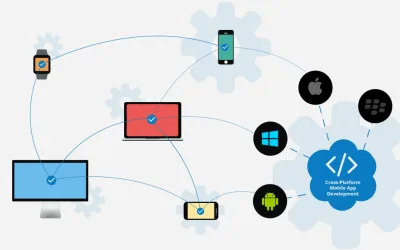
Most on-demand apps need to be available on both iOS and Android. That points strongly toward a cross-platform mobile framework — React Native or Flutter are the most common choices. Both allow a single codebase to produce native-feeling apps on both platforms, reducing development and maintenance cost significantly.
For the backend, you need a server that handles booking logic, push notifications, payment processing, and real-time updates. Node.js, .NET, and Python (Django/FastAPI) are all viable choices depending on your team's expertise.
Design the UI
On-demand apps live or die by their user experience. The booking flow needs to be fast, clear, and low-friction — ideally completable in under 60 seconds from opening the app to confirmed booking.
The home screen should surface the most common action immediately. If 80% of users are booking a standard cleaning, that action should require one tap from the home screen, not three navigations.
Scheduling is the most complex UX challenge. Users need to select a date, time, duration, and specific services — often on a small screen. Good calendar and time-slot UX is harder than it looks. Test it with real users early.
Payment flow needs to feel trustworthy. Users are handing over payment details; any friction, confusion, or visual inconsistency increases drop-off. Use established payment UI patterns from Stripe or PayPal's design systems rather than inventing your own.
Build the backend
The backend is where the complexity lives. It handles:
- Booking management — creating, modifying, and cancelling bookings with proper state management
- Provider matching — assigning available cleaners to bookings based on location, availability, and ratings
- Real-time updates — pushing status updates to users (confirmed, on the way, arrived, completed)
- Notifications — reminders, status changes, and operational alerts via push and SMS
- User and provider data — profiles, preferences, history, ratings
- Admin tools — management interfaces for your operations team
The API connecting your mobile apps to the backend needs to be well-documented, versioned, and designed with the mobile client's needs in mind. Poor API design creates friction that shows up as bugs and slow load times in the app.
Integrate payments
Payment integration is non-negotiable and should not be underestimated. You're handling real money; security, reliability, and compliance matter.
Stripe is the most common choice for on-demand apps. It handles card processing, refunds, payouts to service providers, and regional compliance in a single integration. PayPal and Square are alternatives depending on your market.
Key payment features to implement:
- Secure card storage for repeat users (via tokenization — never store raw card data)
- Pre-authorization at booking, charge on completion
- Refund processing for cancellations
- Provider payout scheduling (weekly or biweekly)
- Fraud detection (most payment gateways include this)
Test & launch
Testing an on-demand app is more involved than testing most software because the real-world conditions — location services, network connectivity, concurrent bookings, payment failures — are hard to simulate in a lab. Plan for an extended beta period with real users in real conditions before full launch.
The minimum testing checklist:
- Full booking flow end-to-end on both iOS and Android
- Payment processing with real cards (not just test cards)
- Notification delivery under different network conditions
- Booking conflicts and edge cases (double booking, cancellation at last minute)
- Provider app functionality in real service scenarios
For launch, start with a limited geographic area and a controlled provider pool. A soft launch with a small user group is far safer than a broad public launch — it gives you time to identify and fix issues before scale amplifies them.
Launch small, learn fast. Every on-demand app that scaled successfully started with a constrained launch that revealed the real problems before they became expensive.
Continuous improvement
An on-demand app is never finished. Post-launch, your most valuable asset is usage data — what flows users drop out of, which features they use most, where the ratings are lowest. Build analytics and feedback collection in from day one so you have the data to prioritize improvements intelligently.
Set up in-app feedback, monitor app store reviews, and create a structured process for collecting feedback from your provider network. The providers using your app daily will surface operational problems faster than any amount of internal testing.