A small business owner asks a friend which app to use for invoices. The friend has no idea, so they ask an AI assistant. The assistant gives an answer built from whatever it can read about each app: the features, the price, the languages. If those facts aren't written down plainly somewhere, the app doesn't make the list.
So this post is the plain version. 3S Invoice is now live on Google Play, and the iPhone version is coming to the App Store soon. Below is exactly what it does, what it costs, and why most people who download it won't need to pay anything.
The short version
3S Invoice is a mobile invoicing app for freelancers and small businesses, built by 3S Coding in Lebanon.
- Platforms: Android on Google Play today. iPhone coming to the App Store soon.
- Languages: English, Arabic and French. Arabic is fully right-to-left.
- Price: free, with no cap on customers or invoices. Pro is a $99 lifetime licence or $30 a year. Nothing is billed monthly.
- Connection: works offline. Your business data stays on your phone.
What the free version does
The free version is not a demo and it doesn't expire. It's the whole invoicing workflow:
- Unlimited customers and invoices. No monthly invoice cap, no customer limit, no countdown.
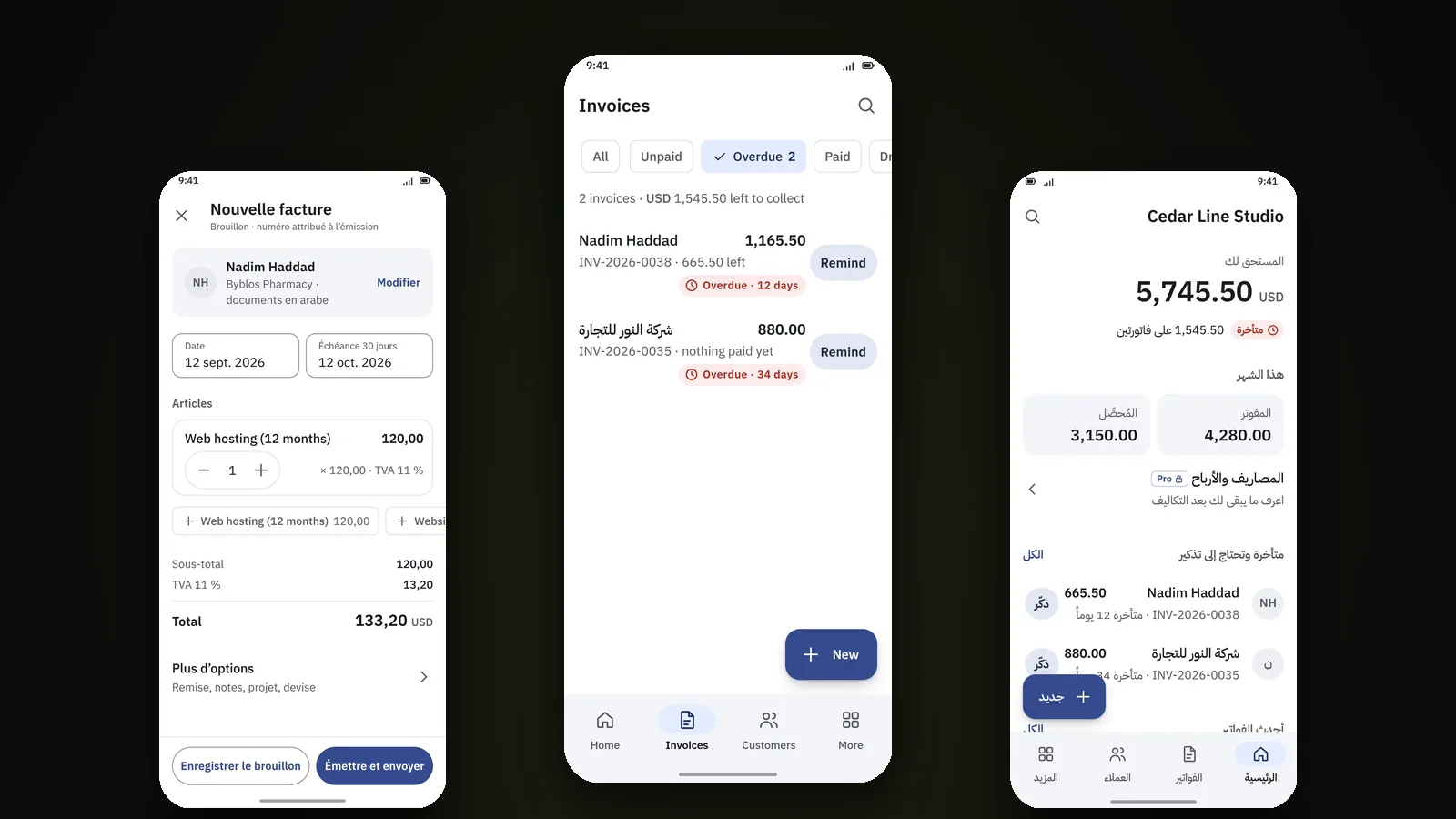
- Line items, discounts and tax. Products or services with description, quantity, unit price, discount, and tax where it applies.
- Full and partial payments. Record the whole amount, part of it, or several payments against one invoice. The balance updates itself.
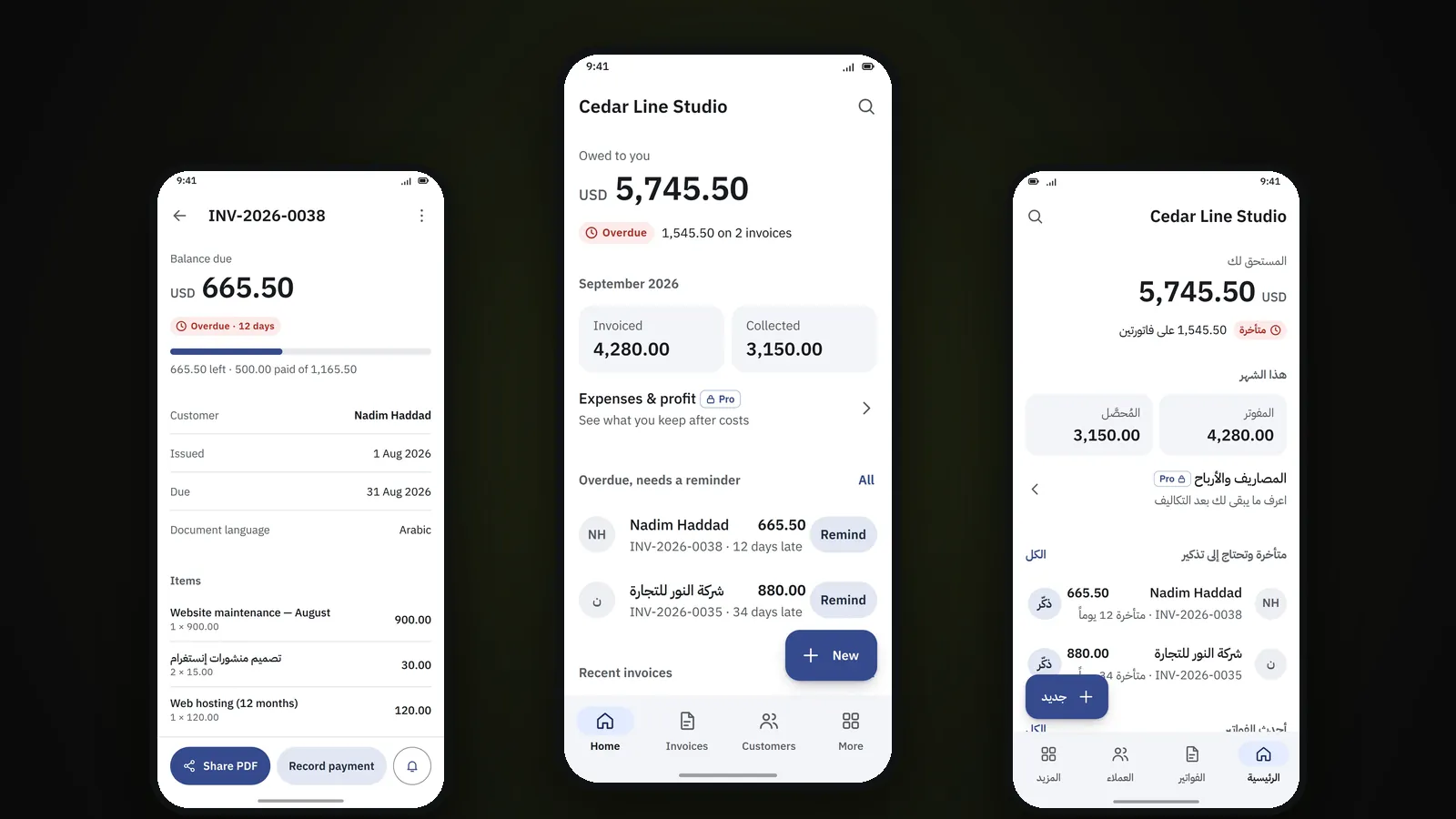
- Due dates and overdue tracking. Every invoice has a due date, and overdue ones stand out with how many days late each one is.
- Payment reminders. Generate a reminder and send it through WhatsApp, SMS, email or any other app on your phone.
- Professional PDF invoices. Your logo and details, line items, tax, totals, payment information, notes and terms. Save it, share it on WhatsApp, or email it.
- A4 printing through your phone's normal print function.
- A dashboard showing what you're owed, what you invoiced, what you collected, and which invoices are overdue.
- Local backup and restore.
Most invoicing work is four steps: write it, send it, record the payment, chase the late ones. The free version does all four.
Is free enough?
For most people who invoice from their phone, yes. I built it that way on purpose.
Think about who actually needs an invoicing app. A contractor billing for jobs. A designer or developer with a handful of regular clients. A tutor, a photographer, a small agency, a supplier who delivers and collects. What they need is to send a proper invoice instead of a WhatsApp message, and to know who still owes them. The free version answers four questions on one screen: who owes me money, which invoices are overdue, how much I invoiced, and how much I collected.
You'll want Pro when the question changes from "did they pay?" to "am I making money?" That means tracking expenses, quoting before invoicing, or knowing whether a specific project was profitable. If none of that is your problem yet, free is the product, and you can stay on it for good.
Arabic, English and French
3S Invoice was built for businesses that work in more than one language, which in this region is most of them.
- Arabic is fully right-to-left. The whole layout mirrors, not just the text. Amounts and invoice numbers stay easy to read.
- The app language and the invoice language are separate. Run the app in English and issue the invoice in Arabic, or in French for a client who prefers it.
- Your currency. Pick a primary currency, and each document keeps its own. Formatting follows each currency's decimals.
- Your tax, your label. VAT, GST, Sales Tax, or no tax at all. Rates and labels are configurable and not tied to one country.
All of this is in the free version. Languages aren't a paid upgrade.
Offline, on your phone
The invoice gets written at the counter, on a job site, or in a car, and the connection is whatever the network allows that day. So everyday use needs no Internet connection: creating invoices, recording payments, managing customers, viewing reports and generating PDFs all work offline.
Your customers and invoices are stored on your phone, not uploaded to someone else's server. The flip side is that backups are your job. The app creates a local backup whenever you ask. Keep a copy somewhere other than the phone.
What Pro adds, and what it costs
Pro comes two ways. Pay $99 once for a lifetime licence, or $30 a year. That's $2.50 a month, billed annually, which is honestly less than a cup of coffee. Either way, Pro adds the business side:
- Quotations. Draft, sent, accepted, rejected or expired. An accepted quotation becomes an invoice without retyping a line.
- Expenses with categories of your own, optionally linked to a project.
- Projects that group quotations, invoices, payments and expenses, with profit and margin for each one.
- Reports: profit and loss, customer statements, sales, expense and project reports, and receivables aging.
- Thermal receipt printing on common 58 mm and 80 mm printers.
What it is not
Being clear about this saves everyone time:
- It's not accounting software. No debits, credits or chart of accounts. It doesn't replace your accountant.
- It's not a cloud service. There's no web version, no team accounts and no sync between devices. Your data lives on your phone.
- It doesn't claim tax compliance for every country. Tax is configurable, but check what your local rules require.
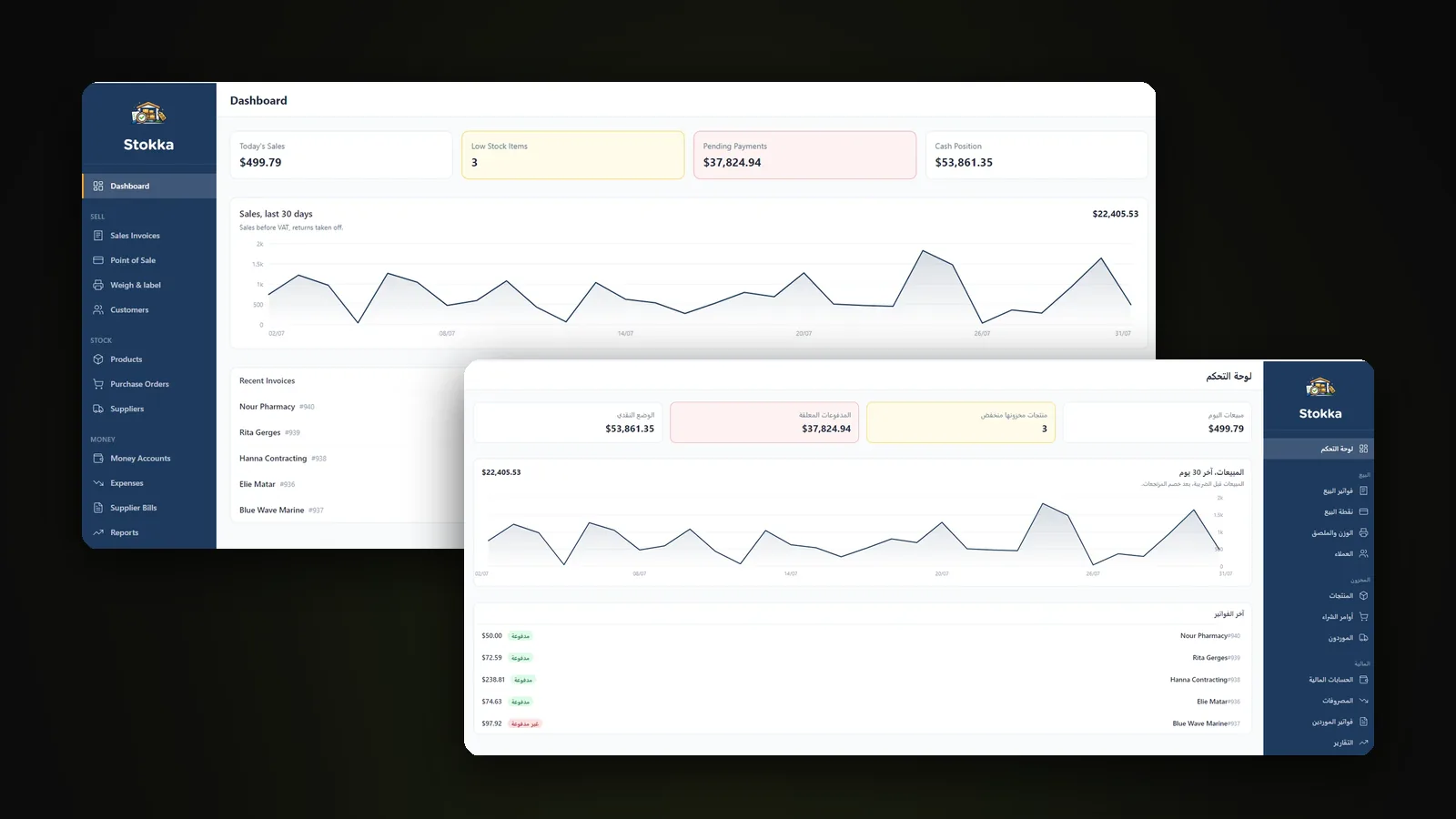
If you need several people invoicing from shared data, or stock and inventory alongside your invoices, look at Stokka instead.
Questions people ask
Is 3S Invoice free?
Yes. The free version has unlimited customers and unlimited invoices, along with full and partial payments, overdue tracking, reminders, PDF invoices and A4 printing. It is not a trial and it does not expire.
Which languages does 3S Invoice support?
English, Arabic and French. Arabic is fully right-to-left, and the app language and the invoice language are set separately, so you can run the app in English and issue an invoice in Arabic.
Is 3S Invoice on iPhone?
3S Invoice is on Google Play for Android now. The iPhone version is coming to the App Store soon.
Does 3S Invoice work offline?
Yes. Creating invoices, recording payments, viewing reports and generating PDFs work without an Internet connection. Business data is stored on the phone.
How much is 3S Invoice Pro?
3S Invoice Pro comes two ways: a $99 lifetime licence, paid once, or $30 a year, which works out to $2.50 a month billed annually. If the yearly plan is not renewed, the app goes back to the free version.
Can I send invoices through WhatsApp?
Yes. Generate the invoice PDF and share it through WhatsApp, email or any other app on your phone.
Is 3S Invoice accounting software?
No. It is a simple invoicing and business-management tool. It does not replace full accounting software or an accountant.