A supplier sends a message on Monday morning: everything in the cleaning range goes up 8% from today. The shop owner now has a choice. Spend the afternoon opening 300 products one by one, or keep selling at last week's prices and lose money on every bottle until the weekend.
Most of what went into this Stokka update started as a moment like that: a small, boring job that eats an hour a shop owner doesn't have. None of it is clever. All of it is the kind of thing you only notice when it's missing, and every piece is built so you can use it the first time you see it.
What’s new, in one list
For anyone who wants the facts first:
- Change prices in bulk. Raise or lower selling prices by a percent or an amount for a category, a subcategory or a supplier, with every old and new price shown before anything changes. Old invoices keep their prices. When a delivery arrives at a new cost, Stokka offers to update the selling price.
- Product photos and printed price lists. One photo per product, kept off invoices and quotations. Named product lists print or save as a PDF price list with photo, name, description and today’s price.
- Profit while you invoice. Profit per line and in total, after discounts and before VAT, on the invoice and quotation forms. Hidden until opened and never printed.
- Last time’s terms. Adding a product a customer bought before shows the discount and price they got last time. One tap applies it.
- Repeating invoices. Weekly, monthly, yearly or every chosen number of days. Due invoices wait in a list for the owner to review and save; nothing is created automatically. On paid editions.
- Send the details on WhatsApp. An invoice, a quotation or a payment reminder opens WhatsApp with the number, date, total and balance due already typed. The PDF is not attached.
- Projects. Tag an invoice, quotation, purchase order or expense with a job and see each job’s income, cost and profit. Off until switched on.
- Receipts on expenses and supplier payments. Attach a photo or PDF of the receipt, to view or download later. It is kept with the shop’s data, so a desktop backup carries it.
- Subcategories and shelf locations. A second level under each category and a searchable shelf label such as A / 2 / R4.
- Document layouts and footer. A clean or standard invoice and quotation layout, chosen in Settings, and the shop’s own words at the foot of every document.
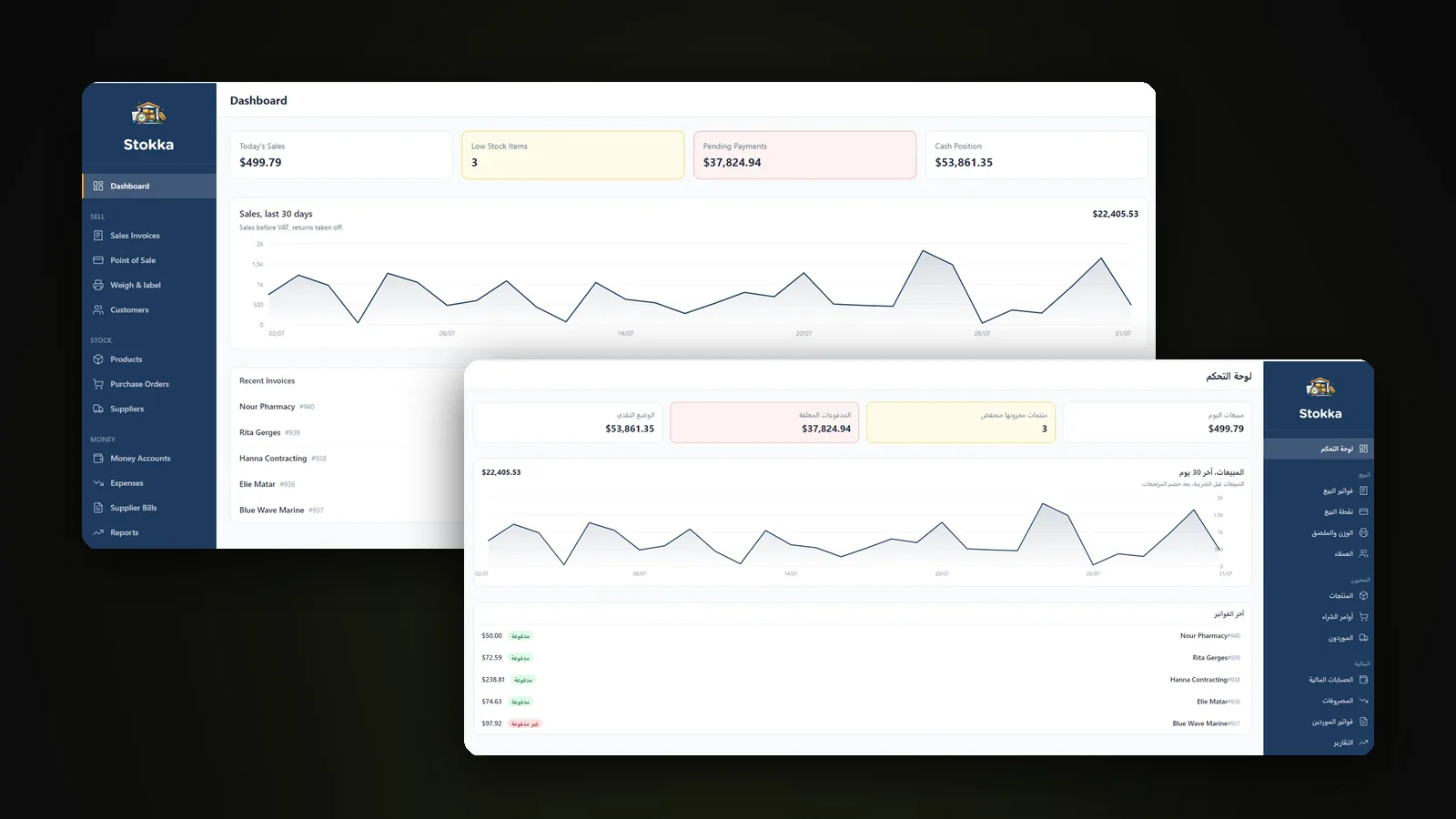
Also improved: every report now exports as CSV, and Arabic covers all 1,807 interface strings. Everything above is in the free version too, except repeating invoices. The rest of this post is about why each one exists.
Prices without the afternoon
Change prices in bulk
Back to Monday. Pick the category, the subcategory or the supplier, and raise or lower the selling price by a percent or a fixed amount. Before anything changes, Stokka shows you every product with its old price and its new one. If the list looks right, you confirm. If one line looks wrong, you go back.
Old invoices keep their prices. A customer who bought last week was charged last week's price, and the reports stay true to that. The 300-product afternoon becomes one screen.
When the cost changes first
Sometimes nobody sends a message. The price just arrives on the delivery. When you receive goods at a new cost, Stokka offers to update the selling price right there. It offers. It never changes a price on its own, because a shop owner should always know what's on the shelf label.
Product photos and printed price lists
Every product can now carry one photo. It stays off your invoices and quotations, where it would only waste ink. Where it does belong is on a price list. Put products in a named list, such as "Paints" or "For the contractor", and print it or save it as a PDF: photo, name, description and price. The list always shows today's prices, so the PDF you send a customer this morning is never last month's.
Selling, and knowing what you made
Profit while you invoice
Most owners find out what they made on a sale at the end of the month, if at all. Now the invoice and quotation forms show the profit per line and in total, after discounts and before VAT. It uses the same cost the sale will book, so the number agrees with the Profit & Loss report.
It stays hidden until you open it, because shop screens face customers. And it never prints. Your margin is your business.
Last time’s terms, one tap away
A regular customer walks in and asks for "the same price as last time." Nobody remembers what that was. Now, when you add a product that customer bought before, Stokka shows the discount and price they got last time. One tap applies it. Nothing fills itself in, because a discount given by accident is still a discount given.
Repeating invoices
Rent on a storage unit, a monthly maintenance contract, a weekly delivery to the same café. Set the invoice once: every week, month or year, or every number of days you choose. When one falls due, it waits in a Due list. You open it, change it if something changed, and save.
Stokka never creates an invoice on its own. Software that bills your customers while you sleep is a feature until the first time it's wrong.
Repeating invoices are on the paid editions.
Send the details on WhatsApp
In Lebanon, a lot of business already happens on WhatsApp. An invoice, a quotation or a payment reminder now opens WhatsApp with the message already typed: number, date, total and balance due. You see the phone number and the wording before it opens, and you press send yourself.
To be precise about it: the PDF is not attached. WhatsApp links carry text only. What reaches the customer is the details, clearly written, which is usually what they wanted anyway.
Keeping track of the rest
- Projects. Tag an invoice, a quotation, a purchase order or an expense with the job it was for, and see each job's income, cost and profit for its whole life. Useful for a shop that also does installations or fit-outs. It's off until you switch it on, so a shop that doesn't need it never sees it.
- Receipts on expenses and supplier payments. Snap the receipt, attach it, and find it again when the accountant asks. Photos are shrunk on the way in, and the file is kept with your data, so a desktop backup carries it too.
- Subcategories and shelf locations. A second level under each category, and a searchable shelf label such as
A / 2 / R4. You find the item on the shelf, not just on the screen. - Documents that look like yours. A clean invoice and quotation layout, with the shop under its logo, the customer opposite, and a discount column only when a line has one. Or the standard layout, if you prefer it. Either way, you can add your own words at the foot of every document.
- Reports to Excel. All 15 built-in reports already took a date range and printed. Now every one also exports as CSV, which opens straight in Excel.
Arabic grew with the update too. Stokka now has 1,807 interface strings, and Arabic covers every one of them. Switching language still mirrors the whole application right to left.
Why none of it needs training
Anyone who has set up business software for a shop knows how it usually goes. The owner gets a two-hour demo, nods along, and calls the next week because they can't find where to change a price. The software isn't hard. It just asks the owner to think like its developer.
Stokka is built on a few rules instead, and the new features follow every one of them:
- Nothing happens on its own. No price changes itself, no invoice creates itself, no message sends itself. You press the button.
- You see it before it changes. Bulk price changes show every old and new price. WhatsApp shows the message. Repeating invoices wait for your review.
- What you don't need stays out of the way. Projects is off until you turn it on. Profit is hidden until you open it.
- Stock is never typed. There's no box where you enter a quantity. Stock changes only through receipts, sales, returns, adjustments and counts, which is why the numbers can be trusted.
That's what "easy" means here: no surprises.
Who it fits, and who it doesn’t
Stokka covers a small shop's whole day: stock in, sales out, who owes you, who you owe, and what you made. It was designed around corner shops, mini-markets, parts shops, phone and repair shops, bakeries and small manufacturers, butchers and greengrocers, and, with one caveat, small pharmacies. Some of those need an add-on, such as point of sale or manufacturing. The Stokka page says which.
It is not for every business, and it doesn't pretend to be:
- Not an ERP. No payroll, HR or CRM, and no double-entry accounting.
- One shop, one stock figure. No multiple branches or warehouses.
- No wholesale or distribution. No sales orders, delivery notes or price levels.
- No restaurant features, and no App Store or Google Play app. Stokka Cloud on your phone, from the browser, is coming soon.
If your business has outgrown a single shop, that's a different conversation. We're an official Odoo partner, and sometimes that's the honest answer.
Questions people ask
What is new in Stokka?
The November 2026 update adds bulk price changes, product photos and printed price lists, profit on the invoice form, last time’s discount and price for a returning customer, repeating invoices, WhatsApp details for invoices and reminders, projects, receipts on expenses, subcategories and shelf locations, two document layouts with a custom footer, and CSV export on every report.
Can Stokka change prices for many products at once?
Yes. Choose a category, a subcategory or a supplier, then raise or lower the selling price by a percent or a fixed amount. Stokka shows every old and new price before you confirm, and past invoices keep the prices they were sold at.
Does Stokka send invoices on WhatsApp?
It opens WhatsApp with the invoice or quotation details already typed as a message: number, date, total and balance due. You see the number and the wording before it opens, and you press send yourself. The PDF is not attached, because WhatsApp links carry text only.
Are the new features in Stokka Free?
All of them except repeating invoices, which are on the paid editions. Stokka Free is the complete desktop application up to 100 products, without the paid modules, and it has no expiry.
Is Stokka hard to learn?
It is built for a shop owner, not an accountant. Nothing fills itself in or happens on its own, every bulk change is previewed before it applies, and features a shop may not need, such as Projects, stay off until switched on.
Is Stokka an ERP?
No. Stokka is inventory and sales management for a small shop. It has one stock location, no payroll or HR, no double-entry accounting, and no wholesale price levels.